In the time it takes to highlight a textbook page, AI can turn your entire chapter into a custom quiz. That’s not an exaggeration — it’s where studying is headed in 2026.
Most students know AI tools exist. But knowing ChatGPT is out there is very different from knowing how to use AI for studying in a way that actually moves the needle on your grades. The AI in education market reached $7.57 billion by end of 2025, growing at a 38.4% compound annual rate (DemandSage AI in Education Statistics 2026) — yet most students are still using AI like a fancier search engine.
This guide gives you six specific, practical strategies to change that — complete with prompts you can copy and paste today.
Here’s the quick answer: To use AI for studying, paste your notes or a reading into an AI tool and ask it to summarize key points, generate flashcards, or create practice quiz questions. AI works best as an interactive tutor — ask it to explain concepts, test you, and adapt its explanations until you truly understand the material.
Why AI Actually Works for Studying (It’s Not Just Hype)
Before diving into how to use AI for studying, it helps to understand why it works so well.
The numbers are striking. According to a Programs.com student AI usage survey, 92% of students used AI tools for studying in 2025, up from 66% in 2024. That’s not a trend — that’s a near-total shift in how students learn.
More importantly, it’s producing results. A Harvard University physics education study (2025) found that students using AI tutors learned more than twice as much in the same time compared to traditional active-learning classrooms. Twice as fast. That’s not marginal improvement — that’s a fundamental change in what’s possible.
Why does it work? Three reasons:
- It adapts to your level. Unlike a textbook, AI can re-explain a concept ten different ways until one clicks.
- It’s always available. No appointment needed. No judgment for asking the same question four times.
- It’s interactive. Passive reading creates the illusion of learning. Active dialogue with an AI — asking questions, getting quizzed — builds real retention.
Pair these strategies with your AI learning tools guide to build a complete study system around these principles.
1. Use AI to Break Down Difficult Concepts
This is the most underrated way students use AI. Instead of rereading a confusing paragraph five times, paste it into an AI tool and ask for a plain-English explanation.
The key is to keep asking follow-up questions until it clicks. Ask for a real-world analogy. Ask what would happen if one variable changed. Ask it to explain the concept as if you’re 10 years old, then again as if you’re a graduate student.
This Socratic back-and-forth is where AI shines — and where a textbook completely fails.
Sample Prompts to Try
Prompt 1 (explain simply): “Explain [concept] as if I’ve never heard of it. Use a real-world analogy.”
Prompt 2 (go deeper): “Now explain it at a university level. What are the common misconceptions students have about [concept]?”
Prompt 3 (test yourself): “Ask me three questions to check if I understand [concept]. Tell me which parts of my answers are correct or wrong.”
2. How to Use AI to Create Flashcards from Your Notes
Flashcards are one of the most proven study methods — but making them manually is brutally time-consuming. Learning how to use AI to create flashcards is a game-changer for any student.
Here’s the workflow: paste your raw notes into ChatGPT or Claude, then ask it to extract the most testable facts as question-and-answer pairs. You can even request a specific format (like Q: / A:) that imports directly into Anki or Quizlet.
AI doesn’t just copy your bullet points — it identifies what’s actually worth testing. It will flag key terms, definitions, dates, formulas, and cause-and-effect relationships that you might overlook when making cards manually. You can also turn your notes into flashcards using dedicated tools that specialize in this workflow.
Sample Prompts to Try
Prompt 1 (basic flashcard set): “Here are my notes on [topic]. Create 15 flashcards in Q: / A: format, focusing on the most important concepts and definitions.”
Prompt 2 (Anki-ready format): “Convert these notes into flashcard pairs formatted for Anki import. Use semicolons to separate the front and back of each card. Focus on testable facts, not general summaries.”
Prompt 3 (difficult concept focus): “Based on these notes, which concepts are most likely to confuse students? Create flashcards specifically targeting those tricky areas.”
3. How to Use AI to Make a Study Guide
A well-structured study guide can make or break exam prep. But building one from scratch — especially from scattered lecture notes and readings — takes hours. Knowing how to use AI to make a study guide cuts that time to minutes.
The approach: paste your syllabus, lecture slides (as text), or reading notes into an AI tool and ask for a structured study guide. Be specific about format and scope.
33% of students already use AI to help create study guides — and those who do tend to study more efficiently because they’re working from organized material rather than chaos.
Sample Prompts to Try
Prompt 1 (from a syllabus): “Here is my course syllabus for [subject]. Create a comprehensive study guide organized by topic, with key terms, major concepts, and one or two example questions for each section.”
Prompt 2 (exam-focused): “I have an exam in [subject] covering [topics]. List the top 10 things I need to know, with a one-paragraph explanation of each.”
Prompt 3 (from lecture notes): “Here are my lecture notes from the past three weeks. Organize them into a clean study guide with headers, key terms bolded, and a summary at the end.”
4. Practice for Exams with AI-Generated Quizzes
Active recall is one of the most effective study methods backed by cognitive science research. AI makes it effortless to practice — just tell it your exam format and it will generate realistic questions instantly. This beats re-reading notes every time.
What makes this especially useful is that AI can grade your written answers and explain what you got wrong — like having a private tutor who gives immediate, personalized feedback. Combine this with active recall techniques for maximum retention.
Sample Prompts to Try
Prompt 1 (multiple choice): “Create 10 multiple-choice questions on [topic] at [difficulty level]. Include four answer options per question and tell me the correct answer and why afterward.”
Prompt 2 (short answer): “Give me five short-answer questions on [topic] as if this were a midterm exam. After I answer each one, grade my response and explain what I missed.”
Prompt 3 (essay question): “Write one essay-style exam question on [topic]. After I submit my answer, grade it on a scale of 1–10 and explain how I could improve it.”
5. Create a Personalized Study Schedule
Most study schedules fail because they’re too vague (“study chemistry Monday”) or too rigid (“2 hours of physics at 6pm sharp”). AI can help you build something that actually fits your life — and adjusts automatically.
Give the AI your exam dates, a list of topics to cover, how many hours per day you can study, and any constraints like a work schedule or other exams. Ask it to factor in spaced repetition — returning to older material at increasing intervals before your exam.
Sample Prompt to Try
Prompt: “I have exams in [Subject 1] on [date] and [Subject 2] on [date]. I can study for 2 hours on weekdays and 4 hours on weekends. Here are all the topics I need to cover: [list]. Build me a day-by-day study schedule that uses spaced repetition and prioritizes the topics I find hardest.”
You can also ask it to rebuild the schedule mid-week if you fall behind — something no paper planner can do.
6. Summarize Dense Readings and Research Papers
Academic papers are notoriously difficult to read. Dense vocabulary, passive voice, jargon-heavy abstracts — it’s a lot. AI can act as a translator.
Paste the text (or key sections) into Claude or ChatGPT and ask for a five-bullet summary of the main argument, definitions of key technical terms, or a plain-English explanation of the methodology and findings.
One important caution: always read the original after reviewing the AI summary. AI can miss nuance, misrepresent statistical claims, or flatten the complexity of an argument. Use the summary to orient yourself — not to replace the actual reading.
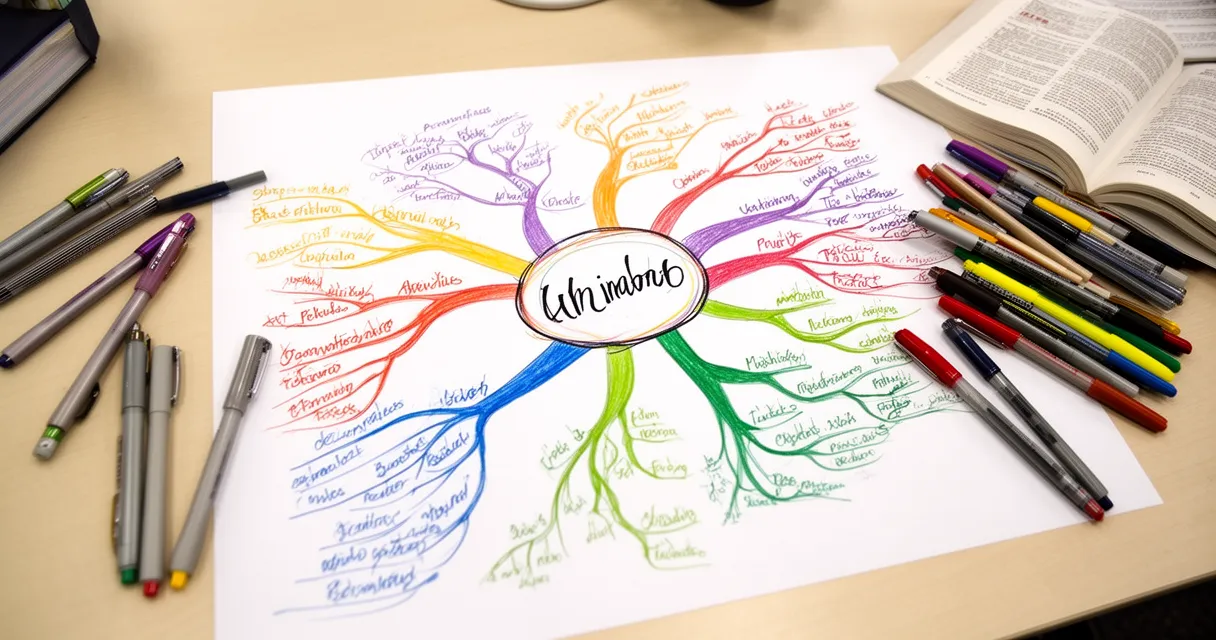
You can also combine this strategy with creating a mind map for studying to visually organize the key ideas across multiple papers.
Prompt 1: “Summarize this academic paper in five bullet points. Focus on the research question, methodology, key findings, and limitations.”
Prompt 2: “List every technical term in this passage and define each one in plain English.”
Is Using AI to Study Considered Cheating?
This is the question every student should be asking — and most don’t. Here’s the honest answer.
Using AI as a study tool is generally acceptable. Generating flashcards, creating practice questions, asking for concept explanations, getting feedback on your thinking — these are the modern equivalents of a tutoring center or study group.
Using AI to complete graded work is academic dishonesty. If AI is writing your essay, solving your problem sets, or completing your take-home exam — that’s cheating, regardless of whether it’s explicitly prohibited in your syllabus.
The rule of thumb: if AI is doing the thinking, it’s cheating. If AI is helping you think, it’s a tool.
That said, every institution handles this differently. Always check your syllabus. If your professor hasn’t addressed AI use explicitly, ask before you submit anything. A 30-second email saves a lot of trouble.
Best AI Study Tools for Students in 2026
The best AI tools for studying depend on what you’re trying to do:
| Tool | Best For |
|---|---|
| ChatGPT (GPT-4o) | Concept explanation, quiz generation, study schedules |
| Claude | Summarizing long documents, nuanced essay feedback |
| Google NotebookLM | Organizing and chatting across multiple source documents |
| Quizlet AI | Generating and practicing flashcard sets |
| Khanmigo (Khan Academy) | Math and science tutoring with Socratic guidance |
For most students, starting with ChatGPT or Claude covers 80% of study use cases. The key is learning to write good prompts — which the strategies above will help you practice.
Frequently Asked Questions
Can AI tools actually help you study more effectively?
Yes. A Harvard University physics education study (2025) found that students using AI tutors learned more than twice as much in the same time as students in traditional active-learning classrooms. The key is using AI interactively — asking questions, getting quizzed, and requesting explanations — rather than passively reading AI-generated summaries.
What is the best AI tool for studying in 2026?
It depends on your use case. ChatGPT and Claude are best for concept explanation, quiz generation, and study schedules. Google NotebookLM is excellent for summarizing and chatting across multiple documents. Quizlet AI specializes in flashcard creation and practice. Most students get the most value starting with ChatGPT or Claude for general studying needs.
How do I use ChatGPT to study for an exam?
Paste your notes or a topic list, then ask ChatGPT to: (1) summarize the key concepts, (2) generate practice questions in your exam’s format, (3) quiz you interactively, and (4) explain what you got wrong. Set context at the start — tell it your subject, exam format, and knowledge level — and you’ll get much more targeted responses.
Is using AI to help you study considered cheating?
Using AI to understand concepts, generate practice questions, and get feedback on your thinking is generally acceptable. Using AI to complete assignments, write essays, or solve graded problem sets is academic dishonesty. Always check your course syllabus, and when in doubt, ask your professor before using AI on any assessed work.
How can AI generate flashcards and study guides from my notes?
Paste your notes into an AI tool like ChatGPT or Claude and prompt it to create Q:/A: pairs (for flashcards) or a structured outline (for a study guide). Specify the format you want — for example, Anki-compatible semicolon-separated pairs or a study guide with bolded key terms. The AI will automatically identify the most testable information from your notes.
Conclusion
AI isn’t a shortcut that replaces studying — it’s a multiplier that makes every hour you put in more effective. The six strategies in this guide for how to use AI for studying work because they make your sessions active, not passive: you’re asking questions, generating content, getting quizzed, and iterating on your understanding.
To recap:
- Concept explanation — AI explains and re-explains until it clicks
- Flashcard generation — turns raw notes into testable Q&A pairs in seconds
- Study guides — organizes scattered material into structured review content
- Practice quizzes — reinforces active recall with instant feedback
- Study schedules — builds personalized, spaced-repetition plans around your life
- Reading summaries — translates dense academic text into accessible takeaways
Use AI as a supplement to your own thinking. Stay within your school’s guidelines. And start small.
Pick one strategy and try it with your next study session — start with the AI quiz generator on whatever exam is coming up soonest. Ten practice questions will immediately show you what you know, what you don’t, and exactly where to focus next.