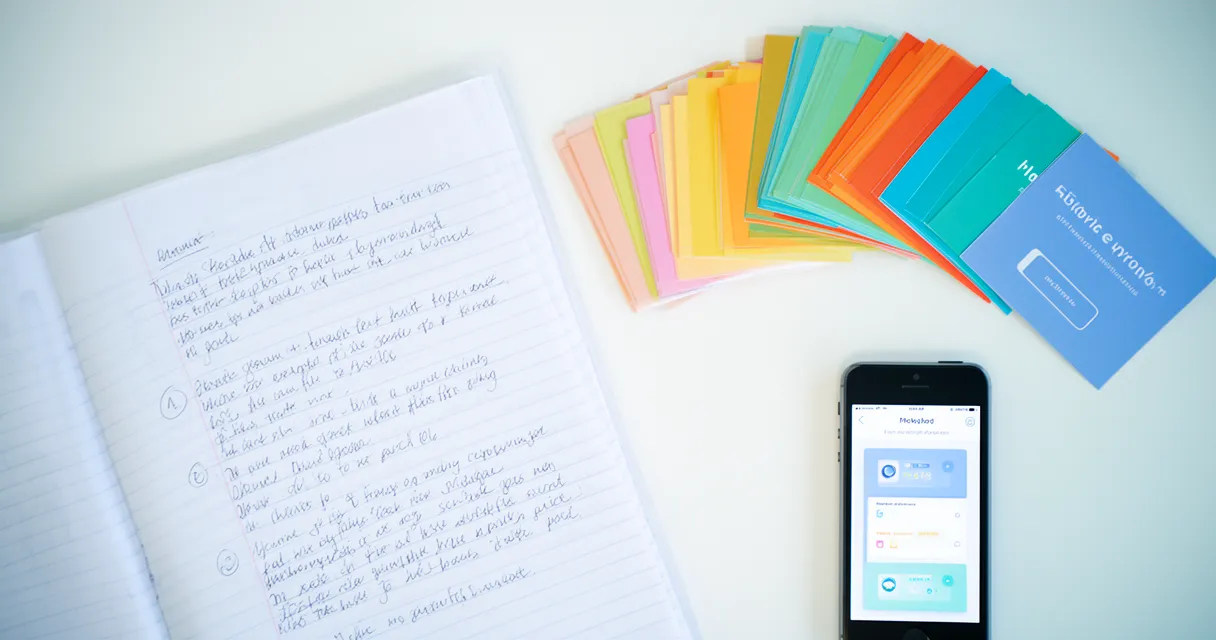
Spending 4-5 hours creating flashcards manually before each exam? There’s a better way.
Students know flashcards work—active recall leads to 150% better retention than passive studying—but creating hundreds of cards from lecture notes feels like a second full-time job. The manual process is tedious, time-consuming, and often gets skipped entirely despite the learning benefits.
This guide shows you exactly how to convert notes to flashcards using both traditional manual methods and modern AI tools that reduce creation time from hours to seconds. You’ll learn when to use each approach, step-by-step instructions for multiple methods, and how to ensure your flashcards actually improve retention.
Quick answer: You can turn notes into flashcards manually by identifying key concepts and writing question-answer pairs (30-60 minutes per chapter), or use AI tools like Quizlet, Knowt, or Revisely to automatically generate cards from uploaded notes in 30 seconds. Manual creation enhances initial learning, while AI saves time for high-volume material. Most students benefit from a hybrid approach: AI for rapid generation, manual review for customization.
Why Convert Notes into Flashcards?
Re-reading your notes might feel productive, but research shows it’s one of the least effective study methods. Converting those notes into flashcards transforms passive review into active learning.
Active recall through flashcards leads to 150% better retention compared to passive re-reading, according to Brainscape Academy research. When you force your brain to retrieve information rather than simply recognize it, you strengthen neural pathways and create lasting memories.
The science backs this up across multiple disciplines. Medical students rated electronic flashcards 4.03 out of 5 for effectiveness, with 50.1% giving the highest rating (PMC Study on Electronic Flashcards, 2025). In language learning, ESL students using flashcards achieved mean scores of 77.24 compared to 59.56 for those using traditional word lists (International Journal of Research and Innovation in Social Science).
Here’s the problem: without active recall study method tools like flashcards, we lose 50-80% of new information within just 24 hours (Cornell University Learning Strategies Center). Your detailed lecture notes become nearly useless unless you actively engage with the material.
Flashcards also enable spaced repetition learning, a proven technique to combat the forgetting curve. By reviewing cards at increasing intervals, you move information from short-term to long-term memory efficiently.
The question isn’t whether to create flashcards—it’s how to do it without sacrificing hours of your time.
Method 1: Manual Flashcard Creation to Turn Notes into Flashcards (Step-by-Step)
Manual flashcard creation might sound old-school, but it offers something AI can’t fully replicate: deep processing during creation. When you actively decide what’s important and how to phrase questions, you’re already learning.
Benefits of manual creation:
- Writing by hand improves memory encoding
- Full control over question phrasing and difficulty
- Natural filtering of trivial vs. important information
- Customization for your professor’s specific emphasis
Time investment: 30-60 minutes per chapter, depending on note length and complexity.
Step 1: Review Your Notes Completely
Don’t start creating flashcards immediately. First, read through your notes once for an overview of the material. This gives you context for what’s coming.
On your second read-through, identify key concepts, definitions, formulas, processes, and relationships. You’re looking for information that requires memorization or deep understanding, not every single detail.
Step 2: Identify Information Worth Memorizing
Not everything in your notes belongs on a flashcard. Focus on:
- Definitions of key terms and concepts
- Important dates, figures, and statistics
- Cause-effect relationships that explain how things work
- Processes and sequences that need to be memorized in order
- Formulas and equations for problem-solving
Avoid trivial details like examples used in class or transitional information. If you wouldn’t expect to see it on an exam, it probably doesn’t need a flashcard.
Use a highlighter or digital markup to mark flashcard-worthy information as you review.
Step 3: Format as Question-Answer Pairs
This is where you transform highlighted information into testable knowledge. For each concept, create a specific question that tests understanding.
Effective question starters:
- “What is…?” for definitions
- “How does…?” for processes
- “Why does…?” for causation
- “Define…” for terminology
- “What’s the difference between…?” for comparisons
Example conversions:
From notes: “Photosynthesis is the process by which plants convert light energy into chemical energy.”
Flashcard front: “What is photosynthesis?” Flashcard back: “The process by which plants convert light energy into chemical energy”
From notes: “The Treaty of Versailles was signed in 1919 and officially ended World War I.”
Flashcard front: “When was the Treaty of Versailles signed and what did it accomplish?” Flashcard back: “1919; officially ended World War I”
Step 4: Write Your Flashcards
Now you’re ready to make flashcards from study notes. You can use traditional index cards or digital platforms like Anki, Quizlet, or Brainscape.
Physical card rules:
- Front: Write a concise, specific question
- Back: Provide a complete but brief answer
- One concept per card (never combine multiple ideas)
Digital app benefits:
- Built-in spaced repetition algorithms
- Mobile access for studying anywhere
- Easy editing and reorganization
- Progress tracking
Keep answers concise but complete. Avoid single-word answers that lack context—“photosynthesis” alone isn’t as useful as the full definition.
Step 5: Add Visual Cues (Optional)
For complex concepts, visual elements significantly improve retention. Consider adding:
- Diagrams for processes and systems
- Color coding by topic or difficulty
- Mnemonics for hard-to-remember sequences
- Images that trigger memory associations
A biology student might draw a simple cell diagram on cards about organelles. A history student might add timeline markers to cards about sequential events.
Step 6: Organize and Test
Group your flashcards by topic, chapter, or difficulty level. This organization helps you focus study sessions on specific areas.
Shuffle cards before each practice session to prevent order-based memorization. You want to truly know the material, not just remember the sequence.
Test yourself immediately. Don’t wait days to use your newly created cards. The act of testing reinforces the encoding you did during creation.
Method 2: AI-Powered Automatic Conversion to Turn Notes into Flashcards
If manual creation takes 4-5 hours per exam and you’re juggling multiple classes, AI flashcard generators are game-changers. These tools can create flashcards from lecture notes in 30 seconds instead of hours (Voovo AI Study Comparison).
The trade-off? AI-generated cards require quality review. The tools are fast but not perfect at understanding context, professor emphasis, or nuanced concepts.
Best for:
- High-volume material (entire textbook chapters)
- Time pressure before exams
- Initial card generation for later refinement
- Supplementary reading material
Supported formats:
- PDFs (typed or scanned notes)
- Word documents
- PowerPoint presentations
- Photos of handwritten notes
- Images of textbook pages
Top AI Flashcard Tools (2026)
Quizlet remains the most popular option. Upload notes via mobile scanning or file upload, and the platform instantly generates flashcards. It offers robust editing tools and a massive shared flashcard library.
Knowt specializes in AI conversion. Navigate to the Materials tab, upload your notes, click Generate, and review hundreds of auto-created cards in seconds. It handles PDFs and images particularly well.
Kahoot added AI flashcard generation in 2025. Its photo scanning feature works well for converting handwritten notes, though it requires good lighting and clear handwriting.
Revisely focuses on study materials conversion. Upload lecture slides or notes, and it generates not just flashcards but also practice quizzes and study guides.
NoteGPT uses advanced language models to extract key concepts and create contextual flashcards. It excels at processing dense academic text.
Each tool has strengths. Try different options with the same set of notes to see which produces the most accurate results for your note-taking style.
Step-by-Step AI Conversion Process
Step 1: Choose your platform Select an AI flashcard tool based on your note format. Handwritten notes? Use tools with strong OCR (optical character recognition) like Kahoot or Quizlet. Typed PDFs? Any platform works well.
Step 2: Upload your notes
Most platforms accept drag-and-drop file uploads. For handwritten notes, use your phone camera to capture clear, well-lit photos. Ensure text is legible—blurry images produce poor results.
Step 3: Select content area (if required) Some tools ask you to specify the subject (biology, history, math) to improve question quality. This helps the AI use appropriate terminology and question formats.
Step 4: Generate flashcards Click the generate or create button. Most tools process files in 15-30 seconds, even for lengthy documents. You’ll see a progress indicator as the AI extracts concepts.
Step 5: Review the output Scan through generated cards quickly. Look for obvious errors, awkward phrasing, or missed concepts. Don’t obsess over perfection in this first pass.
Step 6: Edit for accuracy
This is the critical step most students skip. Spend 10-15 minutes refining the AI output. Fix errors, improve question clarity, and remove duplicate or low-value cards.
Step 7: Export or study Save cards within the platform or export to your preferred study app. Most tools integrate with popular flashcard apps or offer their own spaced repetition systems.
Quality Control for AI-Generated Cards
AI tools miss context and nuance that you understand from attending lectures. Always review output before studying.
Common AI mistakes to check:
Accuracy issues: Verify facts, especially dates, numbers, and technical terminology. AI sometimes misreads scanned text or invents plausible-sounding but incorrect information.
Difficulty mismatch: AI might create cards that are too simple or too complex. Adjust questions to match your exam’s expected difficulty level.
Missing context: AI often creates definition questions without including when or why that concept matters. Add context to answers when needed.
Duplicate concepts: Multiple cards might test the same information with slightly different wording. Merge or delete redundant cards.
Professor-specific terminology: Your professor might use specific terms or frameworks not standard in the field. Edit cards to match classroom language.
Expect to edit 20-30% of AI-generated cards. This hybrid approach still saves massive time compared to creating everything manually while maintaining quality.
Tip: Keep your original notes open while reviewing AI cards. This lets you quickly verify accuracy and catch missed important concepts.
Optimizing Your Notes for Better Flashcard Conversion
Whether you create flashcards from lecture notes manually or use AI, better-organized notes make the process dramatically faster. Students with structured notes reduce conversion time by approximately 40%.
The key is taking notes with flashcard creation in mind from the start.
Using the Cornell Method
The Cornell note-taking method creates flashcard-ready notes naturally. It divides your page into three sections:
Left column (cue column): Write questions or keywords
Right column (notes column): Record main lecture notes
Bottom section (summary): Write a brief summary after class
Here’s why this works perfectly for flashcard conversion: the cue column already contains your flashcard questions. The notes column contains your answers. You’ve essentially pre-created flashcards while taking notes.
How to implement Cornell notes:
- Draw a vertical line about 2.5 inches from the left edge of your paper (or use a Cornell template)
- Draw a horizontal line about 2 inches from the bottom
- During lecture, take notes only in the large right section
- After class, review notes and write questions/cues in the left column
- At the bottom, summarize the entire page in 1-2 sentences
When it’s time to study, cover the right column and test yourself using the left column questions. These questions transfer directly to flashcards.
Note Formatting Best Practices
Even without Cornell format, smart formatting makes conversion easier for both manual creation and AI tools.
Use clear headings and subheadings. Organize notes hierarchically (main topics, subtopics, supporting details). This structure helps AI tools understand what’s important and helps you quickly identify flashcard-worthy content.
Bullet points for key facts. List-style notes are easier to convert than paragraph-style notes. Each bullet can become a potential flashcard.
Bold or highlight definitions. Mark key terms as you write them. This visual flagging speeds up manual flashcard creation and helps AI tools prioritize definitions.
Separate concepts clearly. Leave space between different topics. Dense, run-together notes confuse both humans and AI during conversion.
Include examples with context. Write “Example: [example content]” explicitly. This helps you decide whether to create example-based flashcards and gives AI tools clear boundaries.
Well-formatted notes take marginally more effort during lecture but save hours during study preparation.
Manual vs AI: Which Method Should You Use to Turn Notes into Flashcards?
The best method depends on your specific situation. Neither manual nor AI creation is universally superior—each has ideal use cases.
Most successful students use a hybrid approach: AI for rapid generation, manual refinement and additions. This combines the speed of automation with the learning benefits of active creation.
When to Use Manual Creation
Choose manual flashcard creation when:
The material is exam-critical. For topics your professor emphasized repeatedly or concepts you know will appear on the exam, manual creation forces deeper engagement during creation.
Concepts are genuinely complex. Advanced theories, multi-step proofs, or nuanced arguments benefit from the thinking required to phrase them as questions yourself.
You have limited material. For 1-2 chapters or a focused topic area, manual creation doesn’t take excessive time and provides learning value.
You learn better through writing. Some students genuinely retain information better when they physically write or type flashcards themselves. Respect your learning style.
Professor uses non-standard frameworks. If your class uses terminology or models unique to your professor, manual creation ensures questions match exactly what’s expected.
When to Use AI Tools
Choose AI flashcard generation when:
Volume is overwhelming. For 10+ chapters, entire textbooks, or multiple dense papers, AI prevents flashcard creation from becoming impossible.
Time pressure is severe. Days before an exam with hundreds of pages to review? AI generation in 30 seconds beats spending hours you don’t have.
Material is supplementary. For recommended readings or background material that won’t be heavily tested, AI-generated cards provide coverage without time investment.
Creating initial study materials. Generate comprehensive AI cards early in the semester, then refine and add to them as the course progresses.
The content is straightforward. Vocabulary lists, historical dates, basic definitions, and factual information convert well with AI and need minimal editing.
The Hybrid Approach (Recommended)
The most effective study techniques combine multiple methods strategically. Here’s the optimal workflow:
Step 1: AI generates the foundation (5 minutes) Upload all your notes to an AI tool. Let it create a comprehensive base set of flashcards covering all content.
Step 2: Manual review and editing (15-20 minutes)
Review every AI-generated card. Fix errors, improve clarity, delete low-value cards. Expect to edit 20-30% of the output.
Step 3: Manual additions for gaps (10-15 minutes) Add manual flashcards for complex concepts the AI missed, professor-specific emphasis areas, and connections between topics that require deeper thinking.
Step 4: Difficulty customization (5 minutes) Adjust question complexity to match your exam level. Make some cards harder by asking for applications or connections rather than simple recall.
Total time: 35-45 minutes vs. 4-5 hours for purely manual creation.
This approach saves over 90% of creation time while maintaining quality and incorporating the learning benefits of active review and customization.
Tips for Creating Effective Flashcards
Great flashcards follow specific principles regardless of creation method. These rules apply whether you’re writing cards manually or editing AI output.
One concept per card. Never combine multiple ideas on a single flashcard. “What is mitosis and meiosis?” should be two separate cards. Testing one concept at a time provides clear feedback on what you know.
Use clear, specific questions. Vague questions like “What about the Civil War?” don’t work. Specific questions like “What event triggered the start of the Civil War?” test actual knowledge.
Include necessary context. Some answers require context to be meaningful. Instead of “Q: What is ‘it’? A: The mitochondria,” use “Q: What organelle is called the powerhouse of the cell? A: The mitochondria.”
Make questions challenging. Don’t just test recognition. Ask “How does X relate to Y?” or “Why does X happen?” to test understanding, not just memorization.
Review and refine regularly. As you study, you’ll find cards that are too easy, too hard, or poorly phrased. Edit them. Flashcards are living study tools, not permanent monuments.
Common Flashcard Mistakes to Avoid
Mistake 1: Information overload
Cards with paragraph-length answers defeat the purpose. Break complex topics into multiple focused cards instead of one massive card.
Mistake 2: Vague questions “What is important about 1776?” could have dozens of answers. “What happened on July 4, 1776, in American history?” is testable.
Mistake 3: Lack of context Single-word answers without context don’t help long-term retention. “Q: Photosynthesis? A: Plants” teaches nothing. Include the full relationship.
Mistake 4: No reverse cards
For definitions, create two cards: term → definition AND definition → term. This builds bidirectional recall.
Mistake 5: Copying verbatim Don’t copy sentence fragments directly from notes. Rephrase in your own words to ensure understanding and natural language.
Advanced Flashcard Techniques
Once you’ve mastered basic flashcard creation, try these advanced methods:
Cloze deletions present a sentence with key words removed: “The _____ is the powerhouse of the cell.” This tests recall within context and works well for processes and sequences.
Image occlusion covers parts of diagrams, forcing you to recall labels, structures, or processes visually. Excellent for anatomy, geography, chemistry diagrams, and visual concepts.
Reverse cards test bidirectional knowledge. Create both “Term → Definition” and “Definition → Term” to strengthen neural pathways and prevent one-way memorization.
Progressive difficulty levels start with basic recall cards, then add application cards that require using the concept in scenarios: “How would you use X to solve Y?”
Connection cards ask how concepts relate: “How does concept A differ from concept B?” or “How does process X affect system Y?” These build deeper understanding beyond isolated facts.
Frequently Asked Questions
How do I turn my notes into flashcards quickly?
Use AI tools like Quizlet or Knowt to upload notes (PDF, photo, or doc) and auto-generate flashcards in 30 seconds. Then spend 10-15 minutes reviewing and editing for accuracy. This hybrid approach takes 15-20 minutes total versus 4-5 hours manually.
What’s the best way to convert notes to flashcards?
The best method depends on your goals. Manual creation (30-60 minutes) works best for deep learning and complex concepts. AI tools (30 seconds) excel for large volumes and time savings. A hybrid approach combining AI generation with manual review offers the optimal balance of speed and quality.
Should I use AI or create flashcards manually?
Use manual creation for exam-critical material requiring deep understanding. Use AI for large volumes, supplementary reading, and initial generation. The most effective approach is letting AI generate cards in seconds, then reviewing and editing 20-30% for accuracy and professor-specific requirements.
Can I automatically generate flashcards from PDF notes?
Yes. Upload PDFs to AI tools like Quizlet, Knowt, Revisely, or Kahoot. They extract text and auto-generate question-answer pairs in about 30 seconds. This works with typed notes, scanned handwriting (if clear), and textbook pages.
How long does it take to turn notes into flashcards?
Manual creation takes 30-60 minutes per chapter. AI tools generate cards in 30 seconds, plus 10-15 minutes to review and edit. Students report saving 4-5 hours per exam using AI-assisted creation versus purely manual methods.
Are flashcards better than notes for studying?
Flashcards enable active recall, which produces 150% better retention than re-reading notes. However, notes are essential for initial learning and understanding. The most effective approach combines both: take detailed notes during lectures, then convert them to flashcards for spaced repetition review.
Conclusion
Flashcards aren’t just study tools—they’re scientifically proven learning accelerators that improve retention by 150% through active recall and spaced repetition. The challenge has always been the time investment, but modern AI tools have changed that equation entirely.
You now know two paths to turn lecture notes into flashcards: manual creation in 30-60 minutes that enhances deep learning, or AI tools that generate cards in 30 seconds and save massive time. The hybrid approach offers the best of both worlds—AI handles the tedious work while you focus on quality control and customization.
Using the Cornell note-taking method makes conversion easier regardless of your chosen method. Well-structured notes reduce creation time and improve flashcard quality whether you’re working manually or reviewing AI output.
Remember that quality control is essential. Always review AI-generated cards for accuracy, context, and alignment with your professor’s emphasis. The 15-20 minutes you invest in editing pays dividends in effective studying.
Ready to transform your study routine? Start with your most recent lecture notes. If you’re short on time, upload them to an AI flashcard tool and spend 15 minutes reviewing the output. If you have more time and the material is exam-critical, try the manual method to deepen your understanding. Either way, the key is converting passive notes into active study tools today—not the night before your exam.